
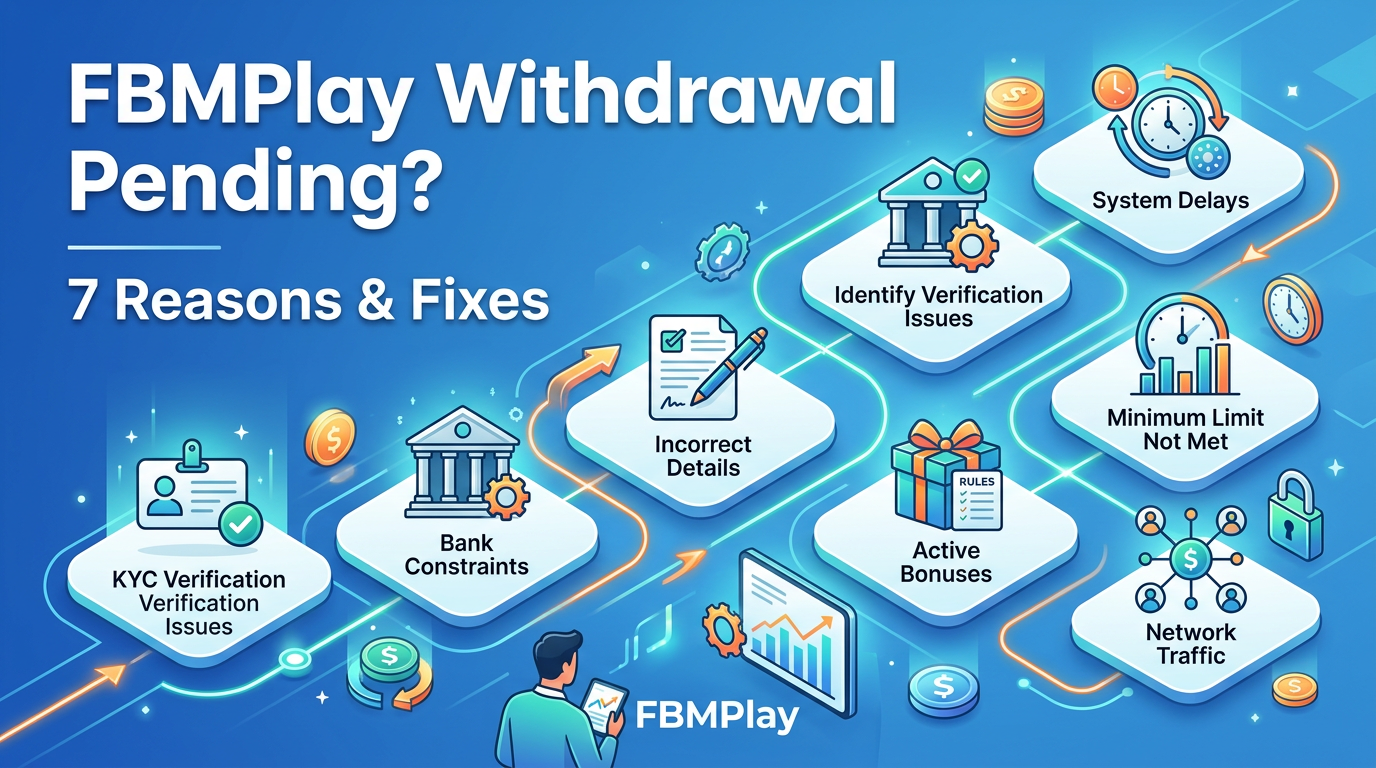
FBMPlay Withdrawal Pending? 7 Reasons & Fixes
FBMPlay withdrawal showing pending? Most complete in 1-2 minutes. Your funds are safe on this PAGCOR-regulated platform. Here is how to fix pending issues at fbmplay.com for players 21+.
What "Pending" Means on FBMPlay
When you request a cash out, your transaction status goes through specific stages. Understanding these stages is the first step in troubleshooting any cash out process.
- Submitted: Your withdrawal request is received by the system.
- Pending: The withdrawal is actively being processed by FBMPlay's internal servers.
- Approved: The withdrawal is authorized and sent to your payment processor.
- Completed: The funds are successfully transferred to your e-wallet or bank account.
Seeing a "Pending" status is completely normal. It is the standard operational stage. Most withdrawals move through the pending phase in exactly 1 to 2 minutes. Your funds are never lost during this status. They remain securely held on FBMPlay's encrypted servers until the processing cycle finishes.
Typical FBMPlay Withdrawal Timing
Knowing the standard processing times helps you determine if your transaction is actually delayed. Refer to our guide on withdrawal timing for GCash and Maya for deeper metrics, but the baseline times are below.
| Payment Method | Typical Processing Time |
|---|---|
| GCash | 1-2 minutes |
| Maya | 1-2 minutes |
| Bank Transfer | Hours to days (bank-dependent) |
During peak gaming hours—such as Friday nights, weekends, and national holidays—processing may take slightly longer due to high transaction volume. During off-peak hours, withdrawals are often near-instant.
7 Reasons Your FBMPlay Withdrawal Might Be Pending
If your fbmplay withdrawal pending status lasts longer than a few minutes, it is likely due to one of the following seven operational reasons. We outline exactly what is happening and how to fix it.
Reason 1: Normal Processing Delay
What is happening: Your withdrawal is currently sitting in the standard processing queue waiting for system execution.
What to do: Wait 5 to 10 minutes. Refresh your transaction history page. Check your e-wallet application inbox for a direct completion notification. This is the most common reason, and it almost always resolves itself without intervention.
Reason 2: KYC Verification Required
What is happening: FBMPlay requires strict KYC (Know Your Customer) verification for withdrawals above certain thresholds. This is a mandatory compliance measure.
What to do: Check your account dashboard for any pending document requests. Complete your identity verification by uploading a valid government ID and a selfie. Your withdrawal will process automatically once your KYC verification is approved, which typically takes 24 to 48 hours.
Why this happens: This is a PAGCOR mandated Anti-Money Laundering (AML) requirement. It protects your account from unauthorized access and fraud. It is a one-time process for most players.
Reason 3: First-Time Withdrawal
What is happening: First-time withdrawals require an initial security review to establish a baseline of trust for your account.
What to do: Ensure your KYC is fully completed. Verify that the withdrawal method you selected exactly matches your legal KYC name. Wait for the initial security verification, which usually completes within 24 hours. Future withdrawals after this first verification will process much faster.
Reason 4: Large Withdrawal Amount
What is happening: Payouts exceeding standard daily operational thresholds trigger a manual audit by the finance team.
What to do: Ensure your account is fully verified. Be prepared to provide additional KYC documentation if requested. Understand that large withdrawals can take 24 to 72 hours to fully clear.
Threshold examples: Withdrawals above ₱100,000 may trigger a standard review. Amounts above ₱500,000 typically require manual managerial approval. VIP tier players benefit from higher pre-approved limits, such as up to ₱5M for Maya transactions.
Reason 5: Mismatched Payment Method
What is happening: The name registered on your chosen withdrawal method does not match the legal name on your FBMPlay KYC profile.
What to do: Verify that your GCash or Maya account is registered in your actual name. If there is a mismatch, you must contact LiveChat immediately for guidance. You may need to update your KYC documents if your legal name has changed recently. This strict matching policy is a core AML requirement that prevents fraudulent actors from stealing your winnings.
Reason 6: Account Under Review
What is happening: Your account has been temporarily flagged by the risk management system. This can be triggered by unusual betting patterns, multiple failed login attempts, or cross-checks with PAGCOR's National Database of Restricted Persons (NDRP) or Gaming Employment License (GEL) lists.
What to do: Contact LiveChat to request a status update. Provide any specific verification details they ask for. Wait for the internal review to conclude, which generally takes 24 to 48 hours. While rare, this is a critical security measure to ensure a safe gaming environment.
Reason 7: Technical Issue on Payment Processor
What is happening: The destination system—such as GCash, Maya, or your specific bank—is experiencing a temporary outage or maintenance period.
What to do: Wait at least 30 minutes for the external processor issues to resolve. Check official GCash or Maya social media channels for outage announcements. Contact LiveChat if the issue persists beyond 30 minutes. Most third-party processor issues resolve within a few hours.
When to Wait vs Contact Support
Knowing exactly when to escalate a pending withdrawal saves you time and reduces unnecessary anxiety. Follow this decision tree.
Wait Quietly (NORMAL):
- Withdrawal has been pending for less than 10 minutes.
- You requested an e-wallet withdrawal during known peak times.
- This is your very first withdrawal and it is awaiting initial KYC review.
Contact LiveChat (CHECK STATUS):
- Your standard withdrawal has been pending for more than 30 minutes.
- You submitted KYC documents but have received no update in 48 hours.
- A large withdrawal has been pending beyond the 72-hour window.
- Any transaction shows a pending status but your account indicates an error.
Contact Phone Support (URGENT):
- Your withdrawal is stuck for over 7 days with no resolution from LiveChat.
- Multiple separate withdrawals are all pending without any progress.
- Your account history shows unusual activity you did not authorize.
How to Contact FBMPlay About Withdrawal Issues
If your situation requires assistance, follow these exact steps to reach FBMPlay customer service effectively.
Step 1: Check Status First
Log in to your FBMPlay account. Navigate to Wallet, then Transaction History. Look for your specific withdrawal request. Note the exact timestamp and the current listed status.
Step 2: Contact LiveChat
LiveChat is available 24/7 directly on fbmplay.com. Click the red chat button located in the bottom-right corner of your screen. Have the following details ready before you start the chat:
- Your exact User ID.
- The withdrawal request timestamp.
- The exact withdrawal amount.
- The specific payment method used.
- A clear screenshot of your transaction status page.
Step 3: Phone Support (if needed)
For urgent cases, or if LiveChat is temporarily unavailable, call (02) 8248-9568. Both English and Filipino support agents are available to assist you.
What FBMPlay Support Will Do:
When you connect with an agent, they will check your withdrawal status in real-time. They will verify your KYC and overall account standing. If necessary, they will escalate the ticket directly to the payment processor. The agent will provide you with a concrete estimated resolution time and work to complete the transaction.
Your Funds Are Safe During Pending Status
The most common worry players face is wondering if their money is gone. The answer is absolutely no. Your funds are completely safe during any pending withdrawal status.
Your funds remain securely on FBMPlay's internal servers until the withdrawal fully completes. Strict PAGCOR regulations mandate robust financial protections for all player balances. FBMPlay maintains immutable transaction records for full traceability.
Furthermore, MEMO Multinational Corp. serves as the official Philippine legal representative, ensuring corporate accountability. As detailed in our legitimacy overview, FBMPlay has never had a documented case of lost withdrawals due to platform failures. If a withdrawal seems stuck for an unusually long time, it is strictly an operational delay—such as a KYC check or a third-party processor outage—and never a lost fund issue.
How to Prevent Future Withdrawal Issues
Take proactive steps to ensure your future cash outs process smoothly and quickly.
Prevention 1: Complete KYC Early
Submit your KYC documents immediately after registering your account. Do not wait until you want to make your first withdrawal. Since KYC takes 24 to 48 hours to approve, completing it early prevents delays when you are ready to cash out.
Prevention 2: Use Matching Payment Methods
Ensure your chosen e-wallet or bank account is registered in your exact legal name. This name must match your FBMPlay KYC profile perfectly. Review our payment methods guide to ensure compatibility. If your legal name changes, update your FBMPlay profile immediately.
Prevention 3: Verify Account Information
Keep your mobile number current and accessible. If you experience issues receiving verification codes during withdrawal, see our guide on OTP not received. Ensure your email address and physical address remain accurate.
Prevention 4: Maintain Verified Status
Never share your account login details with anyone. Use only your own personal devices to log in. Avoid using VPNs, as routing your connection outside the Philippines causes automated verification failures. Always log in from a valid Philippine IP address.
Prevention 5: Plan Large Withdrawals
If you plan to withdraw amounts over ₱100,000, contact LiveChat in advance. Have secondary KYC documents ready if requested. Expect and plan for a 24 to 72-hour processing window for these large amounts.
Anti-Phishing: Real FBMPlay Withdrawal Support
When experiencing an fbmplay withdrawal pending issue, you must protect yourself from scams. Only contact FBMPlay through official channels: the LiveChat feature on fbmplay.com or the official phone line at (02) 8248-9568.
Watch out for fake agents on social media offering to speed up your withdrawal for a fee. Do not use third-party websites claiming to process FBMPlay cash outs. Ignore any SMS or email asking you to click a link to claim a pending withdrawal. Real FBMPlay support never charges fees to process your own money. They never ask for your password or OTP. They never process transactions outside the official fbmplay.com domain.
Eligibility for FBMPlay Withdrawals
To successfully withdraw funds, you must meet all regulatory criteria. You must be 21 years of age or older. You must be physically located within the Philippines. You must have a fully verified account. Your payment method must be in your legal name. You cannot be listed on PAGCOR's NDRP or GEL registries, nor can you be a restricted government employee.
Play Responsibly Reminder
While FBMPlay works diligently to resolve your withdrawal quickly, it is important to remember that gaming is a form of entertainment, not financial planning. If withdrawal delays cause severe anxiety, it may signal underlying stress regarding gaming expenditure. If the cash out process becomes emotionally charged, we recommend taking a break. Utilize FBMPlay's responsible gaming tools to manage your activity. For more information, read our guide on setting deposit limits.
Frequently Asked Questions (FAQ)
Why is my FBMPlay withdrawal pending?
A pending status means your transaction is actively being processed by FBMPlay's system. This is normal. It usually completes in 1 to 2 minutes, but can take longer if KYC verification, large amount audits, or external processor issues occur.
How long should an FBMPlay withdrawal take?
Standard withdrawals via GCash or Maya typically process in 1 to 2 minutes. Bank transfers may take hours to days depending on your specific bank's clearing schedule. Large amounts or first-time withdrawals may take 24 to 72 hours for security reviews.
Are my funds safe if a withdrawal is pending?
Yes, your funds are absolutely safe. While a transaction is pending, the funds are held securely on FBMPlay's encrypted servers. FBMPlay is fully regulated by PAGCOR, ensuring strict financial protections and transaction traceability.
Can I cancel a pending withdrawal?
Whether you can cancel depends on the exact internal status of the transaction. If it is still in the early submitted phase, LiveChat may be able to halt it. Once it moves to approved or is sent to the processor, it cannot be canceled. Contact LiveChat immediately if you need to attempt a cancellation.
What if my withdrawal has been pending for over 24 hours?
If your withdrawal is pending for over 24 hours, it likely requires manual review. This happens for large amounts, first-time cash outs, or pending KYC checks. Check your account for document requests and contact LiveChat for a specific status update.
Does FBMPlay charge withdrawal fees?
No, FBMPlay does not charge any internal fees for processing withdrawals. You receive the full amount you request. However, be aware that your specific bank or e-wallet provider might apply their own standard receiving fees.
What if my e-wallet name doesn't match my FBMPlay KYC?
If your GCash or Maya name does not match your FBMPlay KYC name, your withdrawal will remain pending and eventually fail. This is a strict AML regulation. You must contact LiveChat to update your profile or use a payment method registered in your exact legal name.
If you encounter any other technical difficulties while playing, refer to our game issues troubleshooting guide.